Free 16:9 and image size calculator
Aspect Ratio Helper
Calculate missing width or height, simplify a ratio, and compare common image and video sizes before you upload, crop, export, or create a thumbnail.
16:9
Live preview follows the selected ratio.
Calculator
Calculate The Missing Dimension
Choose a ratio, enter width or height, and the calculator fills the matching dimension while keeping the image or video proportional.
Fast answers
Popular Aspect Ratio Calculator Shortcuts
Common Aspect Ratio Sizes
Use these sizes as starting points. Exact platform requirements can change, so treat the calculator as the proportional reference and check the final upload screen before publishing.
| Use case | Pixel size | Ratio |
|---|---|---|
| 16:9 calculator shortcut | 1920 x 1080 | 16:9 |
| YouTube video | 1920 x 1080 | 16:9 |
| TikTok / Reels / Shorts | 1080 x 1920 | 9:16 |
| Instagram square | 1080 x 1080 | 1:1 |
| Instagram portrait | 1080 x 1350 | 4:5 |
Generated Size Table
The table below updates when you choose a new ratio. It is useful for planning responsive images, thumbnails, and video exports.
| Width | Matching height | Size |
|---|
Practical Tips
Keep the ratio locked when you need a clean resize without distortion.
Use even pixel numbers when exporting video, because some encoders dislike odd dimensions.
For social media, pick the platform preset first, then resize your creative around that frame.
Frequently Asked Questions
How do I calculate a 16:9 aspect ratio?
Divide the width by 16, then multiply by 9 to get the matching height. For example, 1920 divided by 16 times 9 equals 1080.
What is the most common 16:9 resolution?
1920 x 1080 is the common Full HD 16:9 size. 1280 x 720, 2560 x 1440, and 3840 x 2160 are also standard 16:9 sizes.
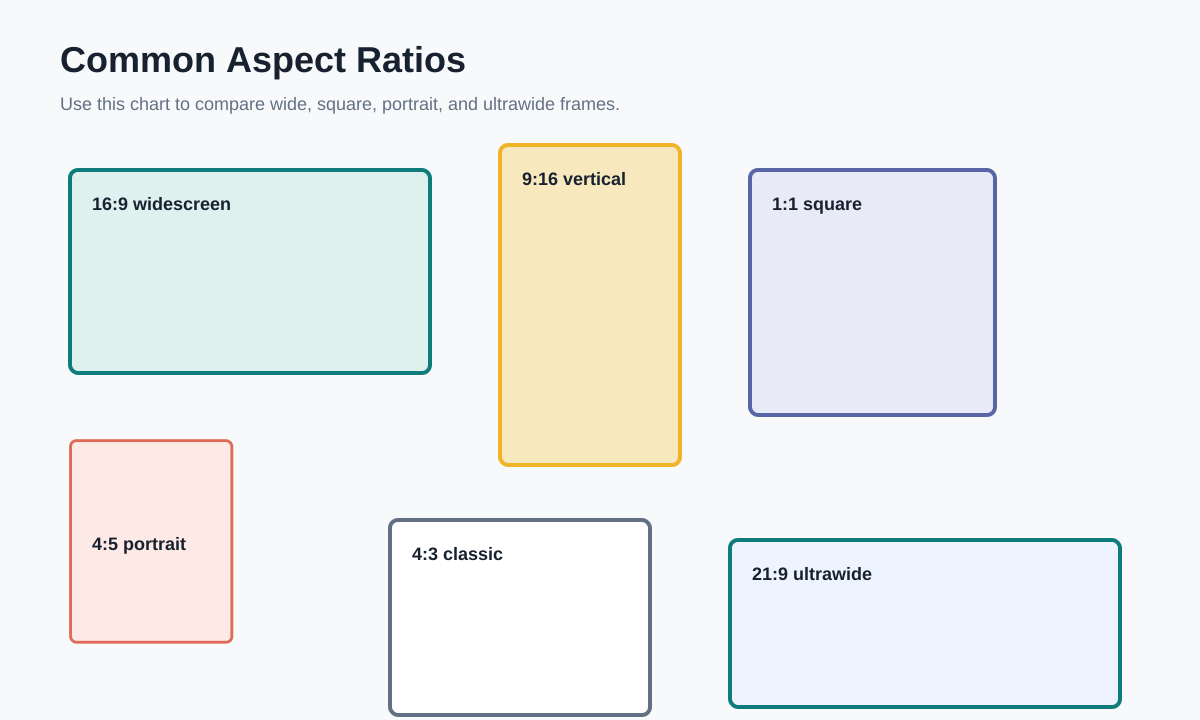
Visual Ratio Reference
This reference chart shows how common frames compare. Use it when deciding whether a creative should be wide, square, portrait, or ultrawide.