Widescreen shape, not a fixed pixel count
16:9 aspect ratio explained
16:9 means 16 units wide for every 9 units high. Understand the shape, compare it with 4:3 and portrait 9:16, and decide whether your image needs cropping or padding.
16:9
Live preview follows the selected ratio.
16:9 is a shape, not a resolution
1280 × 720, 1920 × 1080 and 3840 × 2160 all have the same 16:9 shape. More pixels can preserve more detail, but a larger export cannot recover detail missing from the source.
What changes when a 4:3 image becomes 16:9?
A 1600 × 1200 image is 4:3. A centered crop to 1600 × 900 removes 150 pixels from the top and bottom. Fit keeps the full composition but leaves space at the sides; stretch changes the shape of the subject. Choose based on what must stay visible.
Need only a width or height? Open the 16:9 calculator. To see the composition change, compare crop, fit and stretch in the wallpaper planner.
Calculator
Calculate The Missing Dimension
Choose a ratio, enter width or height, and the calculator fills the matching dimension while keeping the image or video proportional.
Fast answers
Common 16:9 Resolution Answers
Extra guidance
Helpful Details For This Calculator
How to check whether a size is exactly 16:9
For integer pixel dimensions, multiply width by 9 and height by 16: the products must be equal. A rounded decimal like 1.7778 is useful for comparison, but does not prove an exact match.
- 1920 × 9 = 1080 × 16 = 17,280: exact 16:9.
- 1080 × 9 = 9,720, but 608 × 16 = 9,728: close, not exact.
- 16:9 and 9:16 swap width and height; they are different orientations, not interchangeable exports.
When To Use 16:9
16:9 is usually the safest horizontal format for video, slides, livestream graphics, YouTube thumbnails, TV screens, and many website hero images.
- Use 1280 x 720 for lightweight HD drafts.
- Use 1920 x 1080 for standard Full HD exports.
- Use 3840 x 2160 for 4K masters when file size is acceptable.
Common 16:9 aspect ratio explained Sizes
Use these sizes as starting points. Exact platform requirements can change, so treat the calculator as the proportional reference and check the final upload screen before publishing.
| Use case | Pixel size | Ratio |
|---|---|---|
| Small 16:9 preview | 640 x 360 | 16:9 |
| HD | 1280 x 720 | 16:9 |
| Full HD | 1920 x 1080 | 16:9 |
| QHD | 2560 x 1440 | 16:9 |
| 4K UHD | 3840 x 2160 | 16:9 |
Generated Size Table
The table below updates when you choose a new ratio. It is useful for planning responsive images, thumbnails, and video exports.
| Width | Matching height | Size |
|---|
Practical Tips
Use 16:9 for most horizontal video exports.
Avoid cropping portraits into 16:9 without checking the subject.
For slides, keep text inside a safe margin.
Frequently Asked Questions
What size is 16:9?
16:9 is a shape, not one fixed size. Common sizes include 1280 x 720, 1920 x 1080, 2560 x 1440, and 3840 x 2160.
How do I know if my image is exactly 16:9?
For integer pixel dimensions, check that width × 9 equals height × 16, or simplify the width and height to 16:9. A decimal near 1.7778 only indicates a close match.
What is 16:9 in pixels?
16:9 can be many pixel sizes. Common examples are 640 x 360, 1280 x 720, 1920 x 1080, 2560 x 1440, and 3840 x 2160.
How do I resize a picture to 16:9 without distortion?
Lock the aspect ratio, crop only if the original shape is different, and export at a 16:9 size such as 1920 x 1080 or 1280 x 720.
Visual Ratio Reference
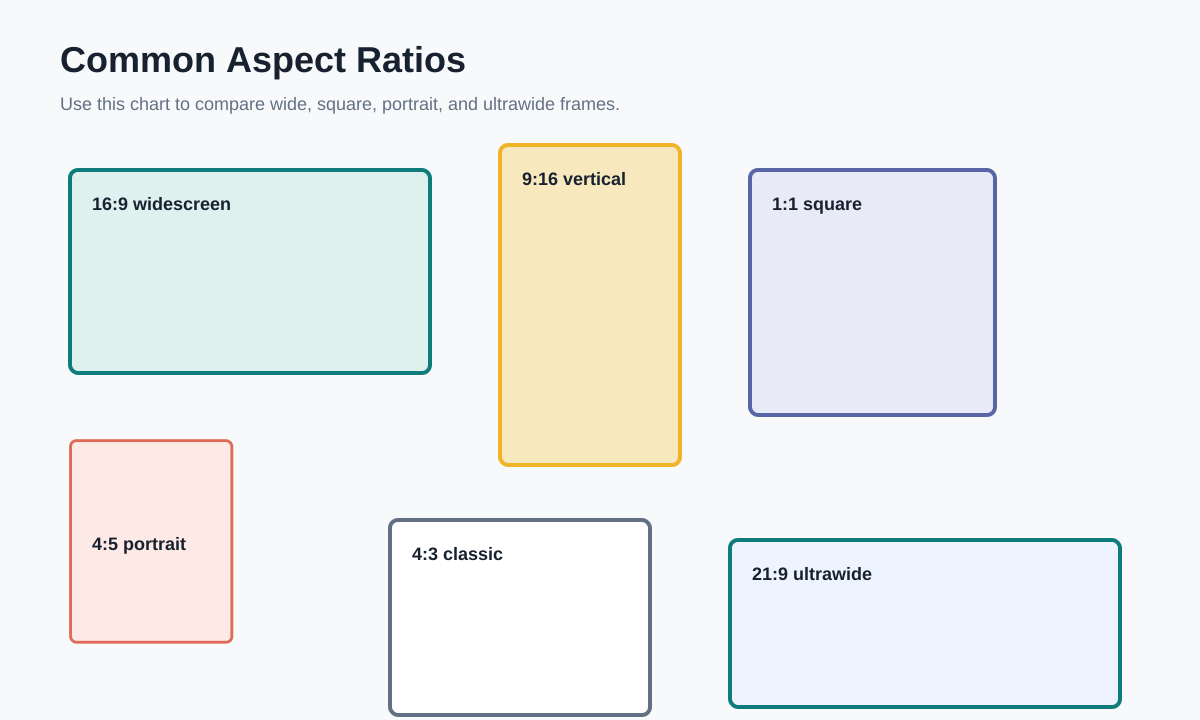
This reference chart shows how common frames compare. Use it when deciding whether a creative should be wide, square, portrait, or ultrawide.